Link an indicator to a Dashboard model
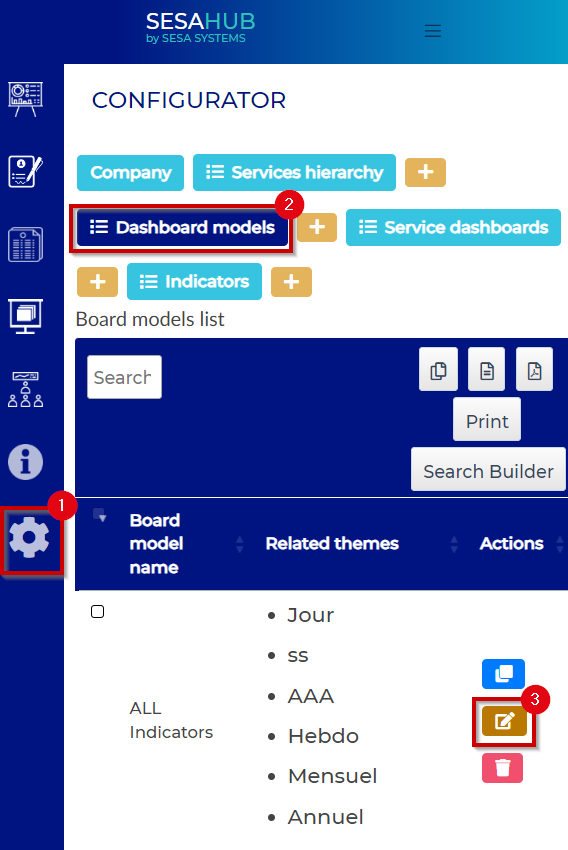
To link the created indicator, go to Dashboard models in the configurator, modify the concerned dashboard model :
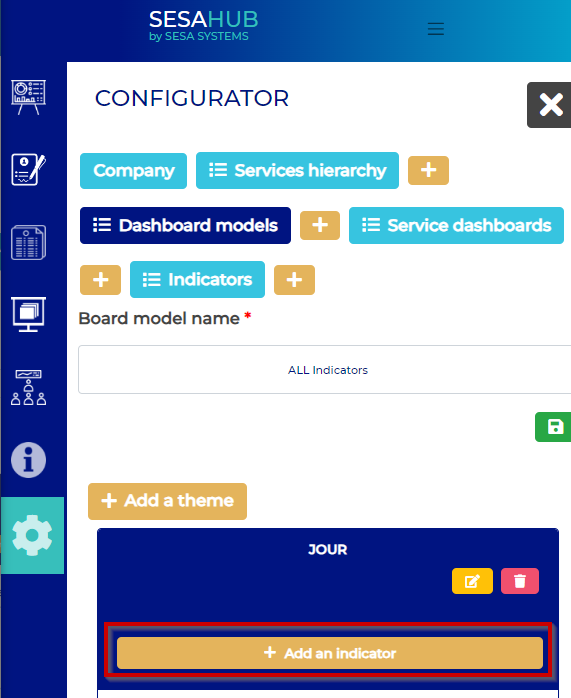
From the them in the one the indicator has to be linked, add an indicator :
Select the previously created indicator :
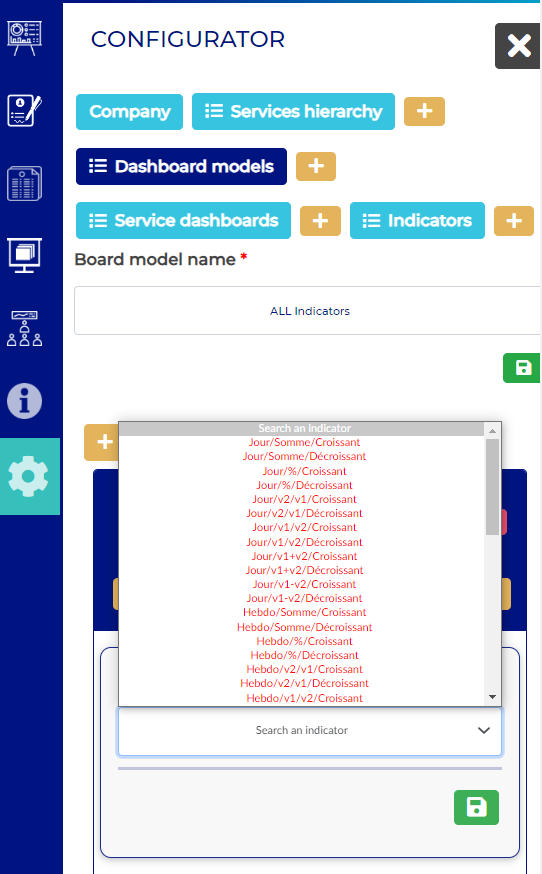
The red lines in the indicator list, means that the indicator is ever used in this dashboard model
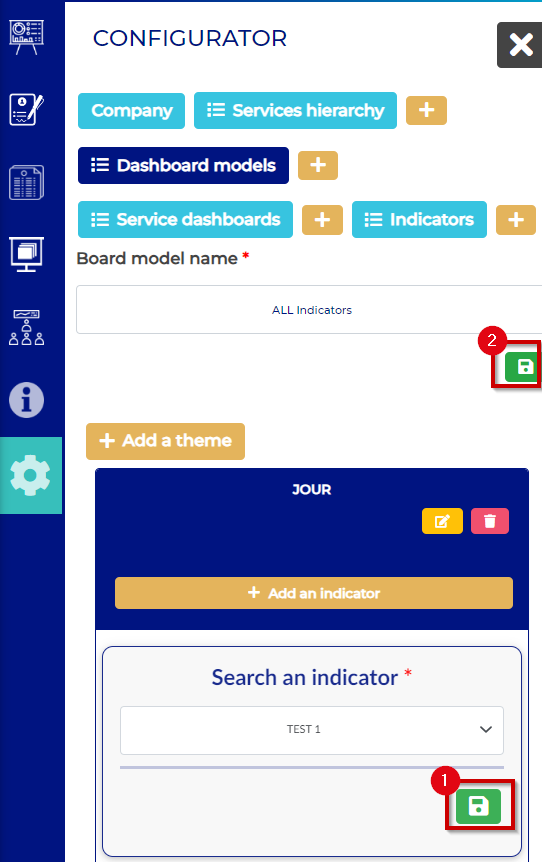
Save the modification by clicking on the save buttons :